What Does a VR User Make of a Pair of XR Glasses?
I spend a fair bit of time in VR.
My main headset is now a Meta Quest 3 following a recent upgrade, I've spent plenty of time with PCVR, and I'm accustomed to putting a headset on when I want a big-screen or immersive experience.
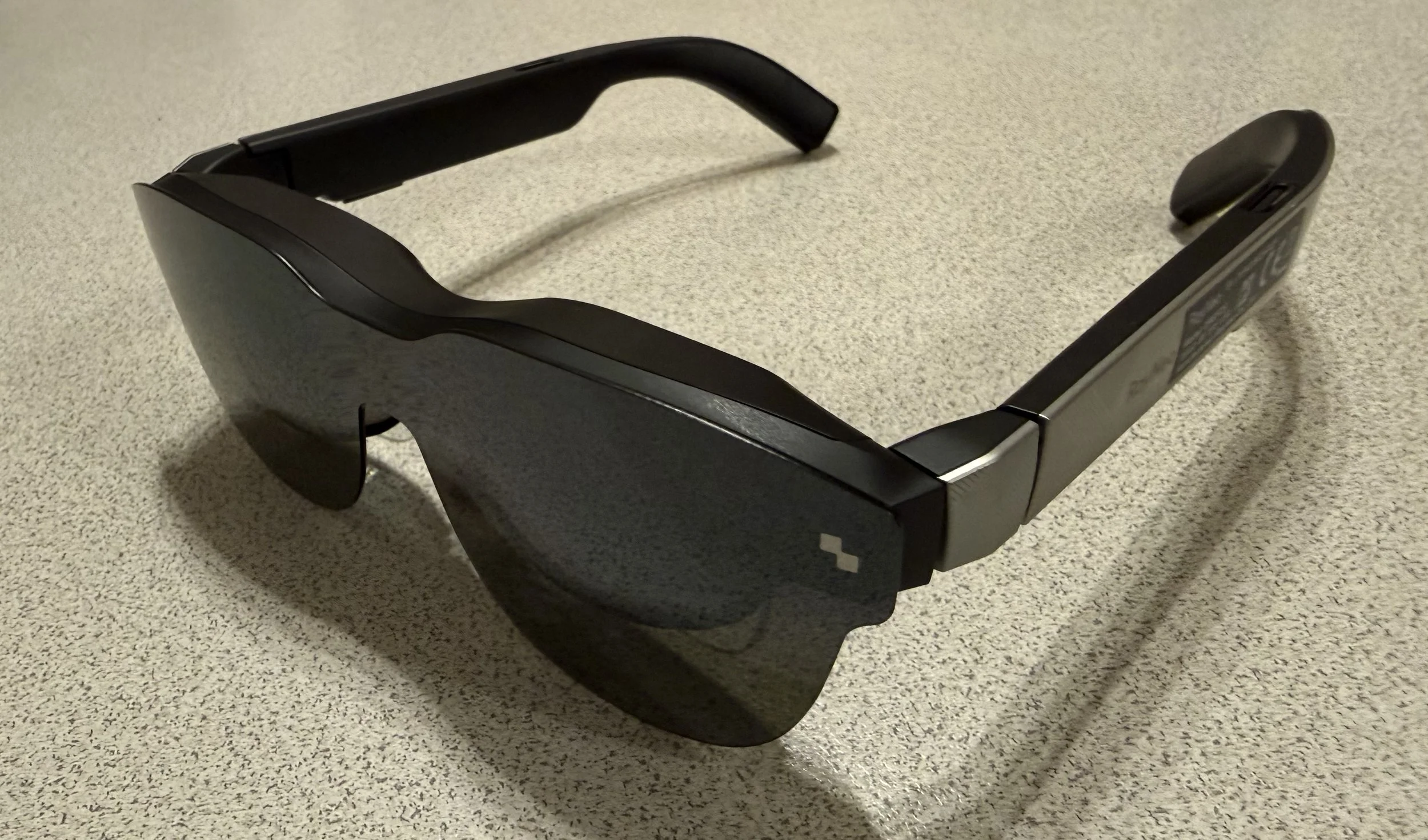
So when the RayNeo Air 3S XR glasses dropped to around A$239 during a recent Amazon Prime sale, curiosity eventually got the better of me.
I'd been interested in this growing category of display glasses for a while, but there was always a question hanging over them:
If you already use VR, what exactly are XR glasses for?
At A$239, I decided it was finally cheap enough to find out.
First things first: these aren't really VR glasses
That's probably the biggest misconception worth getting out of the way.
Putting on the RayNeo Air 3S isn't like putting on a Quest. Instead, think of them as a large private display that you wear on your face.
And importantly, out of the box it really is just that: one large, fixed screen.
Unlike VR, you can't position multiple virtual screens around you or turn your head to look at different parts of a larger virtual workspace. The screen stays directly in front of you, so when you move your head, the screen moves with you.
I've actually found that both handy and annoying.
For watching a movie or playing a game, having the screen follow you can be great. You can change position, lean back or turn your head and your screen is still sitting right there in front of you.
For productivity, though, it can feel limiting. Sometimes you instinctively want to turn your head towards something at the edge of the display, only to have the entire screen move along with you.
Connect the glasses to a compatible USB-C device and that large screen becomes your display. I've used mine with my MacBook Pro, iPad and MSI Claw gaming handheld, and for the right content the effect can be surprisingly convincing.
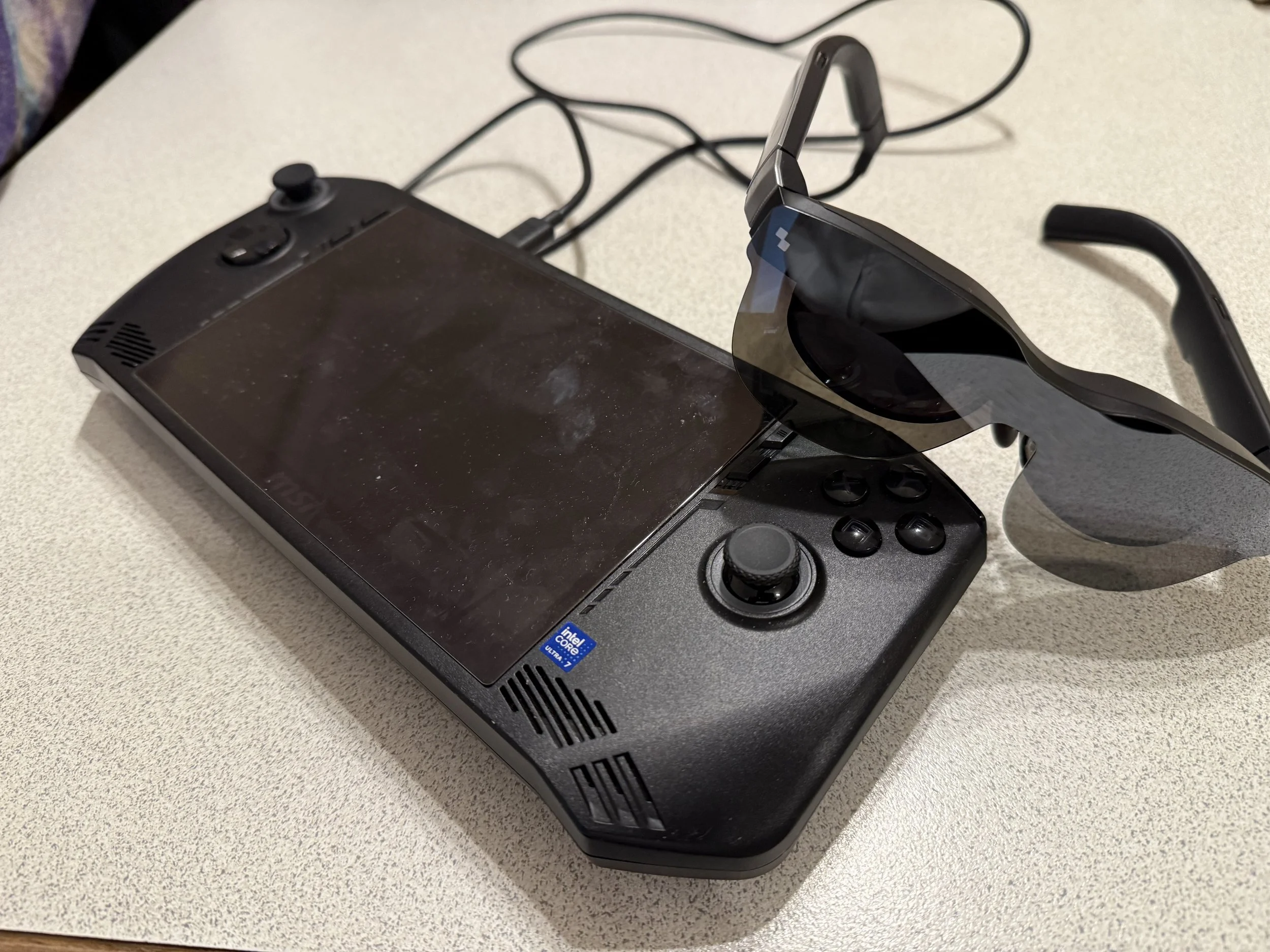
RayNeo Air 3S with a MSI Claw.
The MSI Claw is particularly interesting because it combines something designed to be portable with a display considerably larger than anything you could realistically carry around with it — but that's probably a discussion for another day.
That distinction turned out to be the key to understanding where XR glasses fit alongside VR rather than replacing it.
Where they immediately made sense: entertainment
Watching video is where the Air 3S clicked for me.
Sitting back with the glasses on, AirPods in and something playing from Apple TV gives you a large personal cinema screen without putting a full VR headset on.
That's a bigger advantage than it might initially sound.
A Quest isn't particularly difficult to use, but it's still a VR headset. It's heavier, it isolates you more completely from your surroundings, and there's a little more ceremony involved in putting it on.
In comparison, the RayNeo glasses are much closer to putting on a pair of sunglasses.
For watching a film or television show, I can absolutely see the attraction — particularly while travelling or anytime you want a large screen without actually having one available.
One accessory I quickly found useful
One thing worth knowing about the Air 3S is that the glasses don't have their own battery. They draw power from whatever device they're connected to through USB-C.
For shorter sessions that's wonderfully simple — plug them in and away you go. But it also means you're using the same USB-C port that you may otherwise need to charge your device.
I picked up a small USB-C adapter that provides power passthrough, allowing me to connect the RayNeo glasses while also connecting a charger.
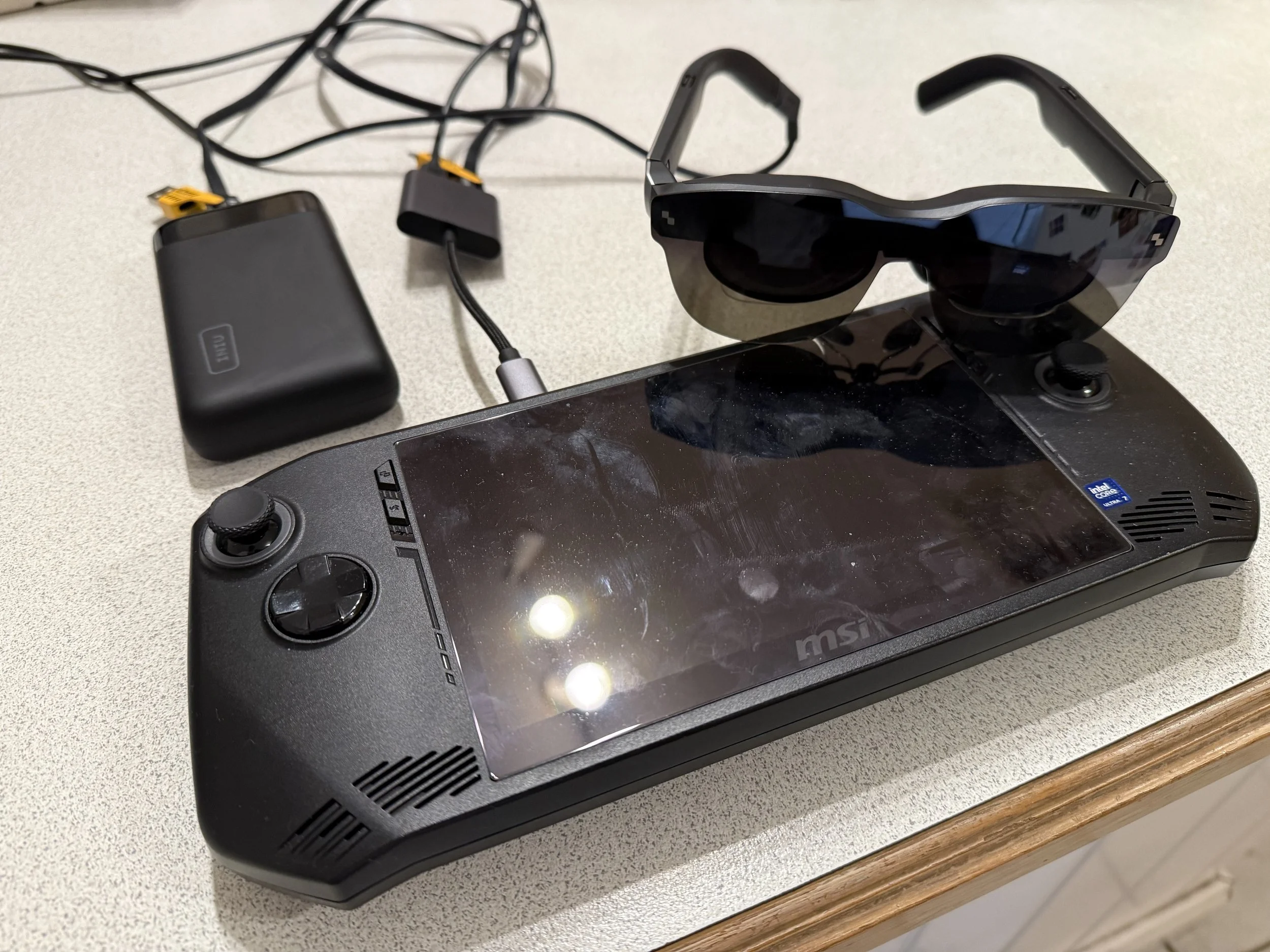
The Rayneo passthrough adaptor allows you to keep your device charged.
That's become particularly useful for longer sessions. Something like the MSI Claw is already fairly demanding on its battery, so being able to power the handheld while continuing to use the glasses makes a lot of sense.
It's not something I'd necessarily regard as essential for everyone on day one, but if you're planning to use XR glasses for longer gaming sessions, movies or as an external display, it's an accessory worth factoring in.
Then my eyesight entered the conversation
There was one complication I knew I'd have to solve: I wear prescription glasses.
Just as prescription lens inserts made a significant difference to my VR experience, I needed prescription lenses for the RayNeo before I could properly judge them.
I ended up ordering inserts from AnnKutVR, and the process was surprisingly straightforward.
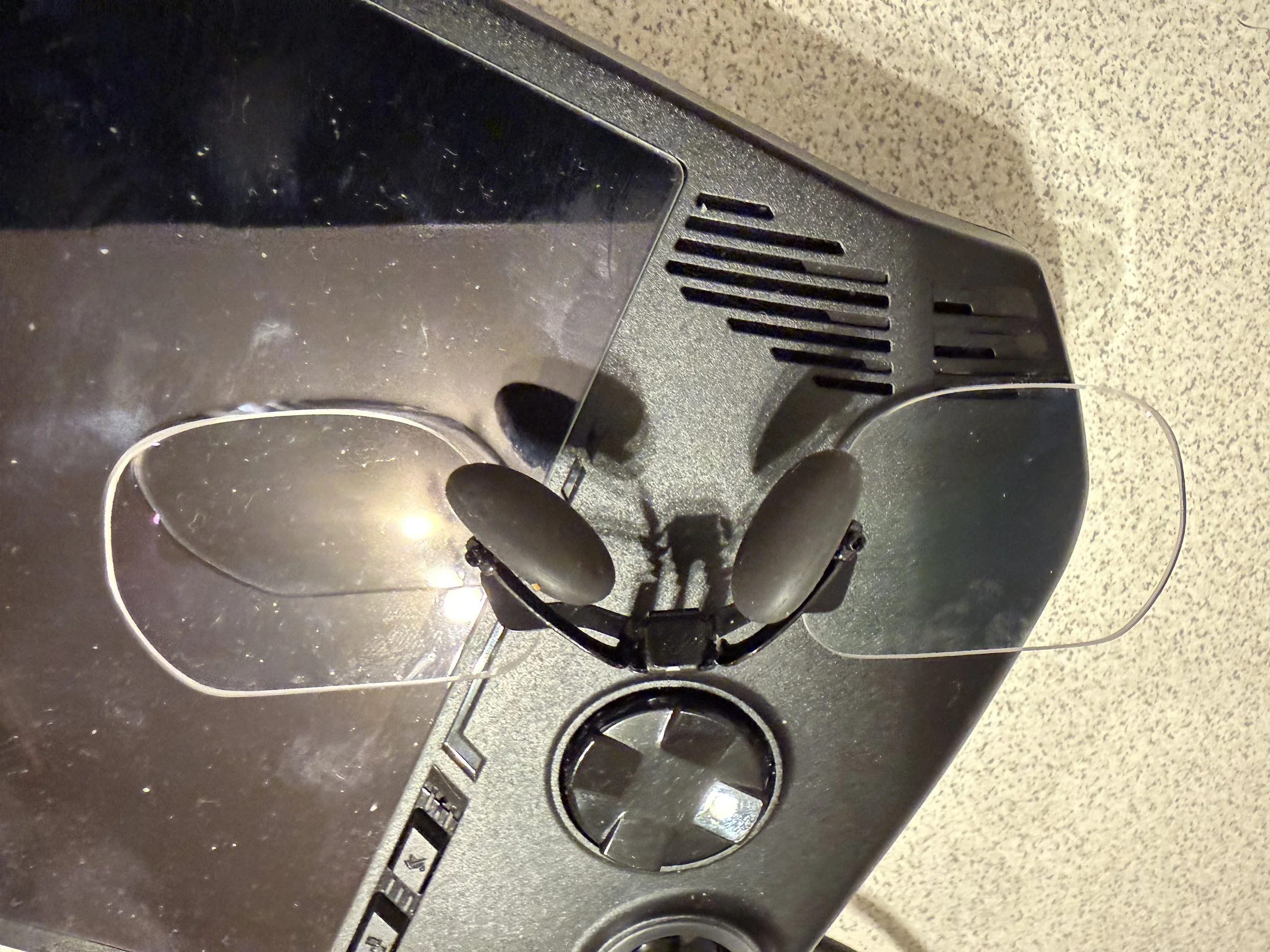
Adding prescription lenses was well worth it.
I already had a copy of my current prescription, so I was able to enter the relevant details directly into their website when ordering.
One important thing I discovered was that I needed to use my distance prescription rather than my reading prescription. That can initially seem counterintuitive. After all, the displays inside the glasses are physically sitting very close to your eyes. But optically you're focusing on a virtual image that appears much further away.
My completed lenses arrived around a week after ordering. Fitting them to the RayNeo was easy, and the difference was immediate.
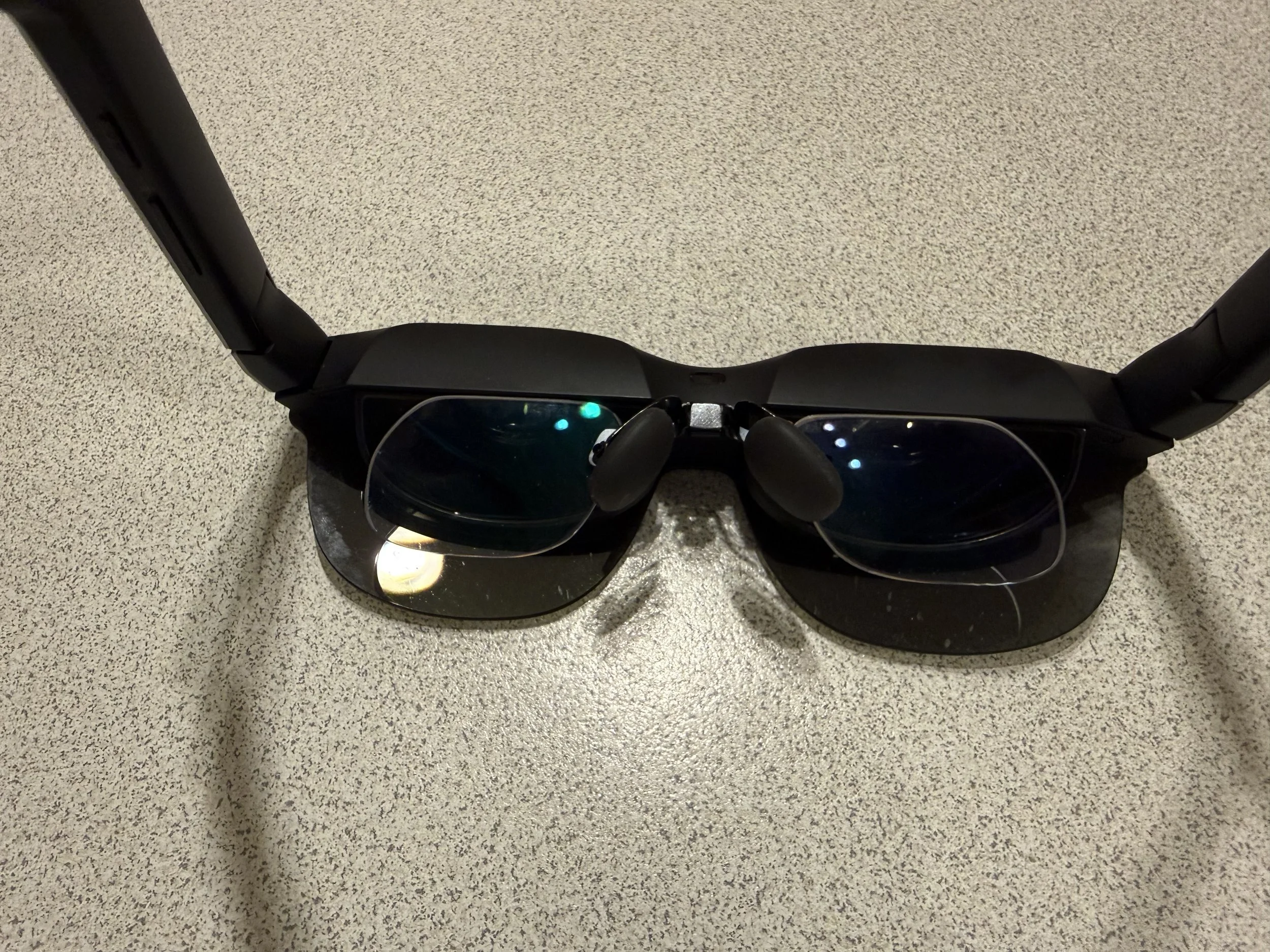
They attach via the nose attachment.
It wasn't simply that the image became sharper. I found the glasses considerably more comfortable to use once I could see the display properly without my eyes constantly trying to compensate.
For anyone who needs prescription lenses, I'd therefore consider inserts part of the real purchase price rather than an optional extra. There's not much point creating an enormous virtual screen if you can't comfortably see it.
The experience also reinforced something I'd already discovered with VR: getting the optics right for your eyesight can make as much difference to the experience as some of the headline specifications manufacturers like to advertise.
But prescription lenses didn't solve everything
This is also where my experience became more mixed.
The Air 3S can produce a very nice image, particularly in the centre of the display, but I've found the sweet spot relatively unforgiving.
Getting the entire screen comfortably into view can require adjusting the glasses, and things around the edges can become harder to see. I've also noticed reflections that can interfere with the experience.
For a film, neither issue bothers me enormously. Your attention is generally towards the centre of the image and you're not constantly looking at tiny interface elements around the edges.
Using them as a computer display is different.
Suddenly the menu bar, icons, text and other things sitting towards the edge of the screen matter. That's where I've found myself moving or adjusting the glasses to see something clearly.
It means that while I can use the Air 3S as a computer display, I don't think that's where they're at their best.
VR may have spoiled me a little
Coming from VR probably makes me more critical of some aspects of the Air 3S than someone experiencing a head-mounted display for the first time.
I'm used to the freedom a Quest gives me to look around a virtual environment naturally. The RayNeo is much more constrained, but that simplicity is also part of its appeal.
There are occasions where I don't want a virtual environment or multiple displays. I just want a really big screen in front of me without putting on a VR headset.
If I want to play a VR game, there's obviously no contest: I'm reaching for the Quest.
If I want to sit back and watch an episode of a TV show on a huge private screen, though, pulling out a pair of glasses starts to make considerably more sense.
And pairing them with something like the MSI Claw presents another interesting use case: a genuinely portable gaming setup with a much larger display than the handheld itself.
So, do XR glasses make sense for a VR user?
Surprisingly, yes.
Not because they replace VR. They don't.
What the RayNeo Air 3S has done is convince me that XR display glasses have a legitimate place alongside VR headsets.
They're lighter, simpler and very good at one particular job: giving you a large personal display almost anywhere.
The Air 3S itself hasn't been perfect for me. The sweet spot, edge visibility and reflections are things I'd pay much closer attention to when choosing my next pair.
RayNeo itself has already moved on considerably — the range is now up to the Air 4 Pro — and this category is developing quickly. There are also considerably more alternatives to consider now, including the recently released VITURE Pro 2, which would certainly be on my shortlist if I were buying again today.
That doesn't mean I regret buying the Air 3S. Quite the opposite.
The RayNeo Air 3S didn't necessarily convince me that these are the XR glasses I want forever. They convinced me that XR glasses are a product category I want.
And considering I paid around A$239 to find that out, I'm pretty happy with the experiment.
My RayNeo Air 3S, accessories and AnnKutVR prescription lenses discussed in this article were purchased with my own money. This article is based on my personal experience using them.
